Show node
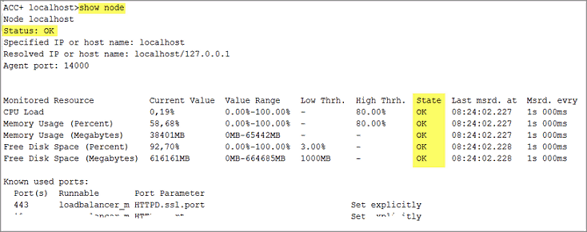
The show node command shows machine monitoring information concerning CPU, memory and disk usage. If a threshold is violated, it will be shown.
Prerequisite
Health monitoring parameters are set.
Procedure. Procedure
Start ARIS Cloud Controller (ACC) and establish a connection.
Make sure that the runnables have been started.
Enter: show node
The output will be in tabular format and look like this example: